If you've ordered with us before, signing in gives you instant access to your saved image gallery, your order history, and a faster path to your next print.
When you sign in, the artstore recognises you and loads everything from your previous visits — every file you've uploaded, every order you've placed, every delivery address. No re-entering details, no re-uploading images.
Here's how to get signed in — and what to do if your password isn't playing nicely.
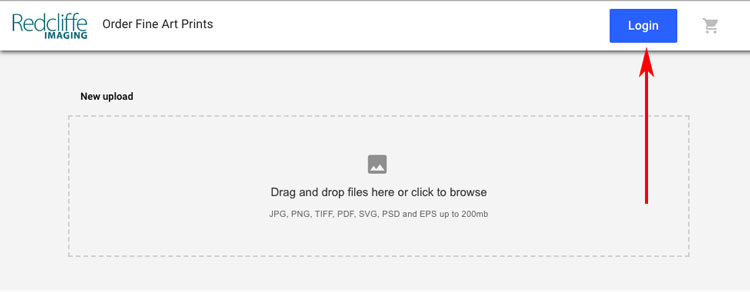
Click the Start Your Order button on any page of our site to open the artstore. Once you're there, you'll see a Login button in the top right — click that to sign in to your account.
Same artstore, same button, whether you're ordering for the first time or the hundredth.
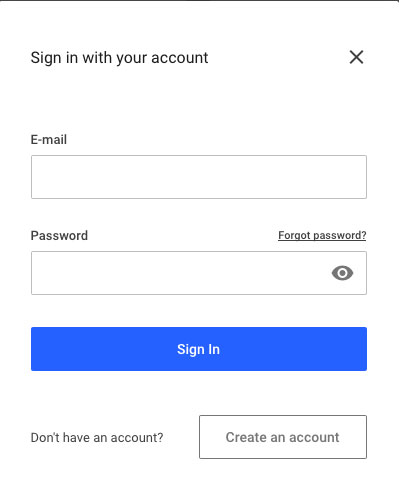
Enter the email address and password you used when you first registered. You'll land in your account gallery, with every image you've previously uploaded ready to reorder from.
Tick "Remember me" if you're on your own device to skip this step next time.
Most sign-in problems are fixed in under a minute. Here's how to handle the usual suspects.
Click "Forgot your password?" on the sign-in screen and enter your email. You'll get a reset link in your inbox within a minute or two.
If you've moved from the email you registered with, don't create a second account — call or email us and we'll update your existing one so your order history stays intact.
Call Thomas on 0117 952 0105 or email support@redcliffe.co.uk. A real human will get you back in, usually within the hour.
Your account gallery shows every image you've ever uploaded. Hover on a thumbnail to see your previous orders — size, paper, date, price — and click through to reorder exactly, or tweak anything you like (different paper, different size, different quantity).
For the full walkthrough of how to reorder from a saved file, see our repeat order guide — five steps from gallery to checkout.
Your account is created when you place your first order, so there's no separate sign-up step to worry about. Start a new order through our artstore and you'll be offered the option on the way through — or see our new customer guide for a full walkthrough.
Head to the artstore, sign in, and pick up exactly where you left off. If you're locked out and need a hand, we're on the phone.